Transactions
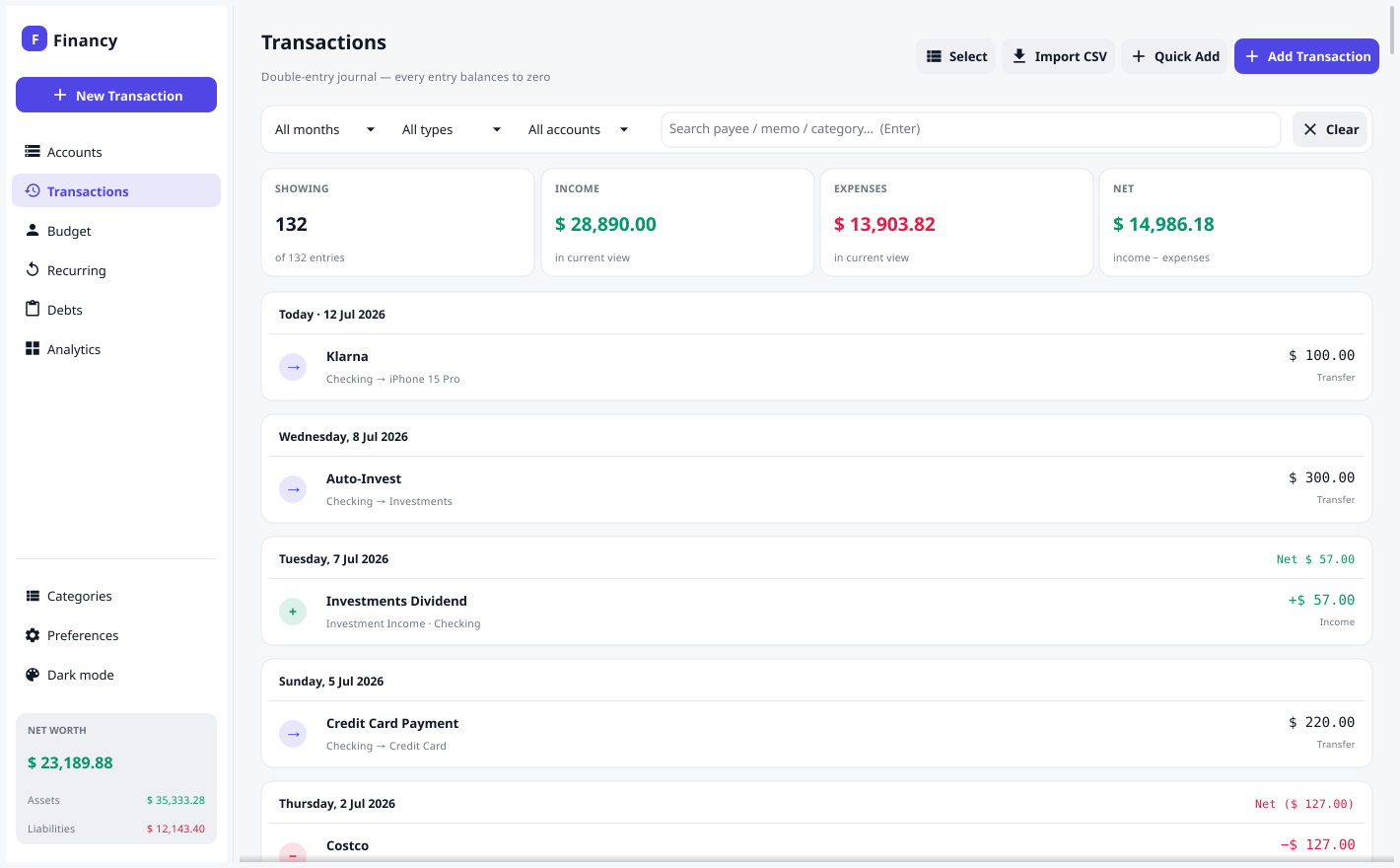
The Transactions screen is a date-grouped journal of every entry, with filters and search.
Adding a transaction
Click Add Transaction (or the toolbar +, or right-click an account → New Transaction). Pick a type and Financy writes the correct double-entry postings:
| Type | Money flow | Postings created |
|---|---|---|
| Expense | money out of an account | category +amt, account −amt |
| Income | money into an account | account +amt, category −amt |
| Transfer | between two of your accounts | to +amt, from −amt |
Other fields: Date (with a calendar picker — type YYYY-MM-DD or click the
calendar button), Amount (formats with thousands separators as you type),
Payee, and an optional Memo.
Filtering & search
Narrow the journal by month, type, account, or free-text search. The summary cards update to show income, expense, and net for the current filter.
Editing & deleting
Right-click any row (or use its menu) to edit, duplicate, or delete. Because balances are derived, edits and deletes immediately and correctly update every total.
Bulk recategorize
To move many transactions to a new category at once, click Select in the header. Each row gains a checkbox — tick the ones you want, or use Select all shown to grab everything matching the current filters (so you can, say, filter to one account and reassign the lot). Then click Recategorize… and choose the target category.
Only entries whose kind matches the chosen category are changed — an expense category is applied to expense rows, an income category to income rows. Transfers, opening balances, and mismatched entries are skipped, and Financy tells you how many were actually moved. It’s a fast way to clean up the uncategorized rows left behind by a CSV import.
Splits & transfers
The underlying model supports multi-posting transactions (e.g. one purchase across several categories). The standard form covers Income/Expense/Transfer; richer split editing may come in a future release.