Recurring
Recurring transactions are templates for entries that repeat — rent, salary, subscriptions. Financy remembers them and, when they’re due, drafts the transaction for you to confirm. They never post silently.
What’s coming
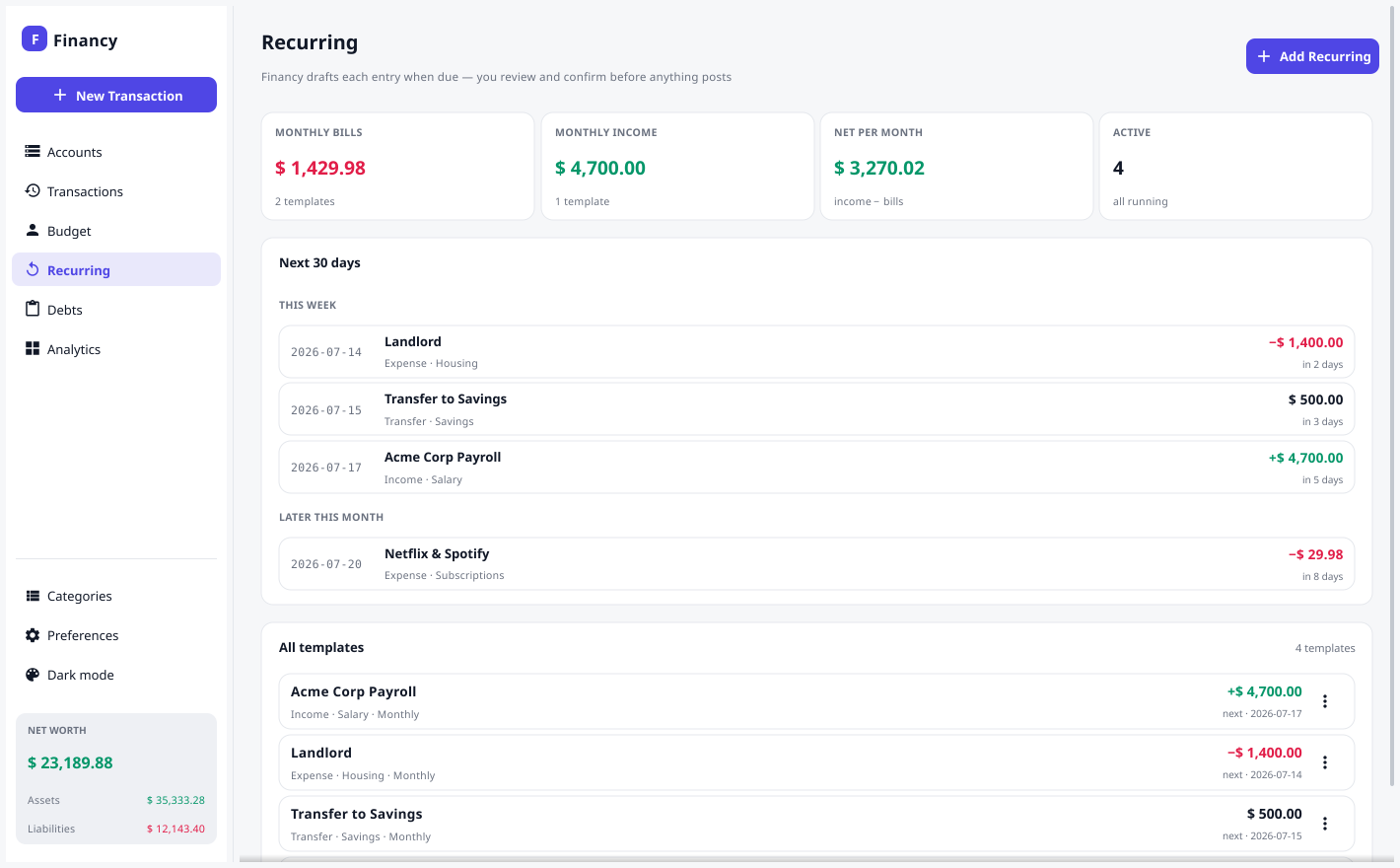
The Recurring screen leads with the forward view, not the template list:
- Commitment stats — what your enabled templates add up to per month: Monthly bills, Monthly income, and the net per month. Every frequency is normalized to a monthly figure (weekly ×52⁄12, biweekly ×26⁄12, quarterly ÷3, yearly ÷12); transfers are excluded since they only move money between your own accounts.
- Next 30 days — a timeline of every projected occurrence, bucketed into Overdue & due (amber, with an inline Review & Post), This week, and Later this month. Each row shows the date, payee, category, amount, and how far away it is (“today”, “in 5 days”, “3 days overdue”). Click a row to edit its template; right-click for the usual actions.
The Accounts overview shows the same information at a glance: an Upcoming card with anything due plus the next 14 days of occurrences, linking straight to the Recurring screen.
While the app is open, Financy re-checks the schedule about once a minute — crossing midnight or catching up a due entry doesn’t require reopening the file. The review prompt only reappears when something new becomes due, so choosing Later actually defers it.
Add a template
On the Recurring screen, click Add Recurring and fill in the same fields as a normal transaction (type, account, category, amount, payee, memo) plus:
- Frequency — Weekly · Biweekly · Monthly · Quarterly · Yearly.
- Next due — when the next occurrence should post (month-based frequencies keep the day of month, clamped to month-end, so a monthly entry on the 31st lands on Feb 28 rather than overflowing).
Use the ⋮ menu on a row to Post now (early), edit, pause/resume, or delete a template.
Posting early
Need to pay a bill before its due date? Right-click the template → Post now (early)…. A short review lets you either create a new transaction dated today or link this occurrence to an existing transaction you’ve already recorded. Either way the template’s next-due moves forward one period, so the upcoming occurrence won’t also prompt you later.
Posting what’s due
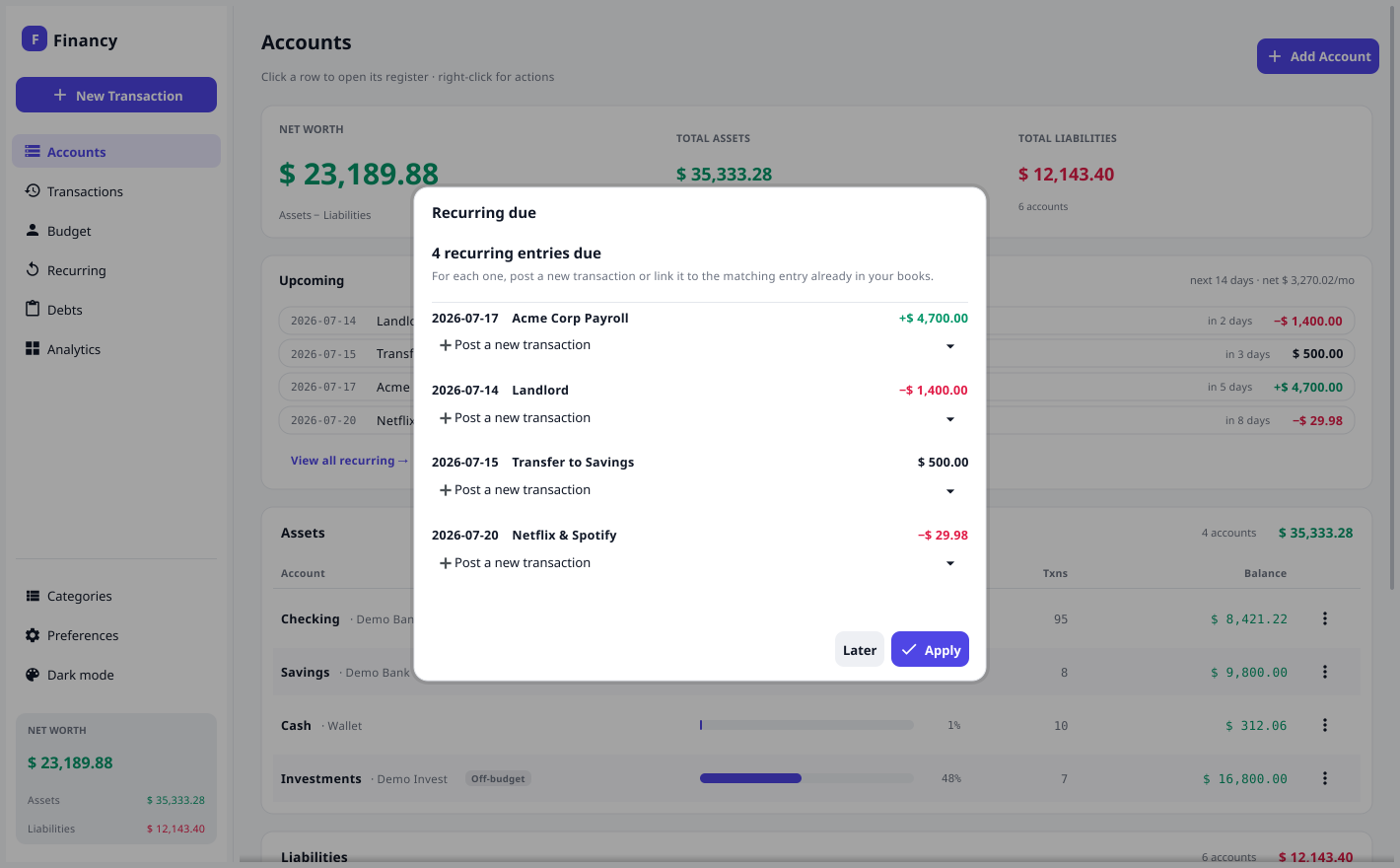
When you open a document — or while it sits open and something becomes due — Financy shows a prompt; you can also click Review & Post any time. For each due occurrence you choose, from a dropdown, either to post a new transaction or to link it to the existing transaction that already paid it:
- Missed periods are caught up — if a monthly entry hasn’t run for two months, both occurrences appear.
- If Financy finds a matching transaction already in your books (you entered it manually or imported it — same account, a nearby date, and a similar amount), it pre-selects it so that occurrence won’t be double-posted. You can see exactly which entry it’s linked to, and change it.
- The amount doesn’t have to match exactly (bills vary), and the dropdown lists other nearby transactions too. If the right one still isn’t there, pick 🔍 Browse all transactions… to search the account’s full history and link to any transaction.
- Entries with no close match default to Post a new transaction.
- Click Apply: new ones are created (as normal, editable transactions), linked ones are skipped, and every due template advances. Later defers them.