Categories
Categories are your income and expense accounts — the labels that classify where money comes from and where it goes.
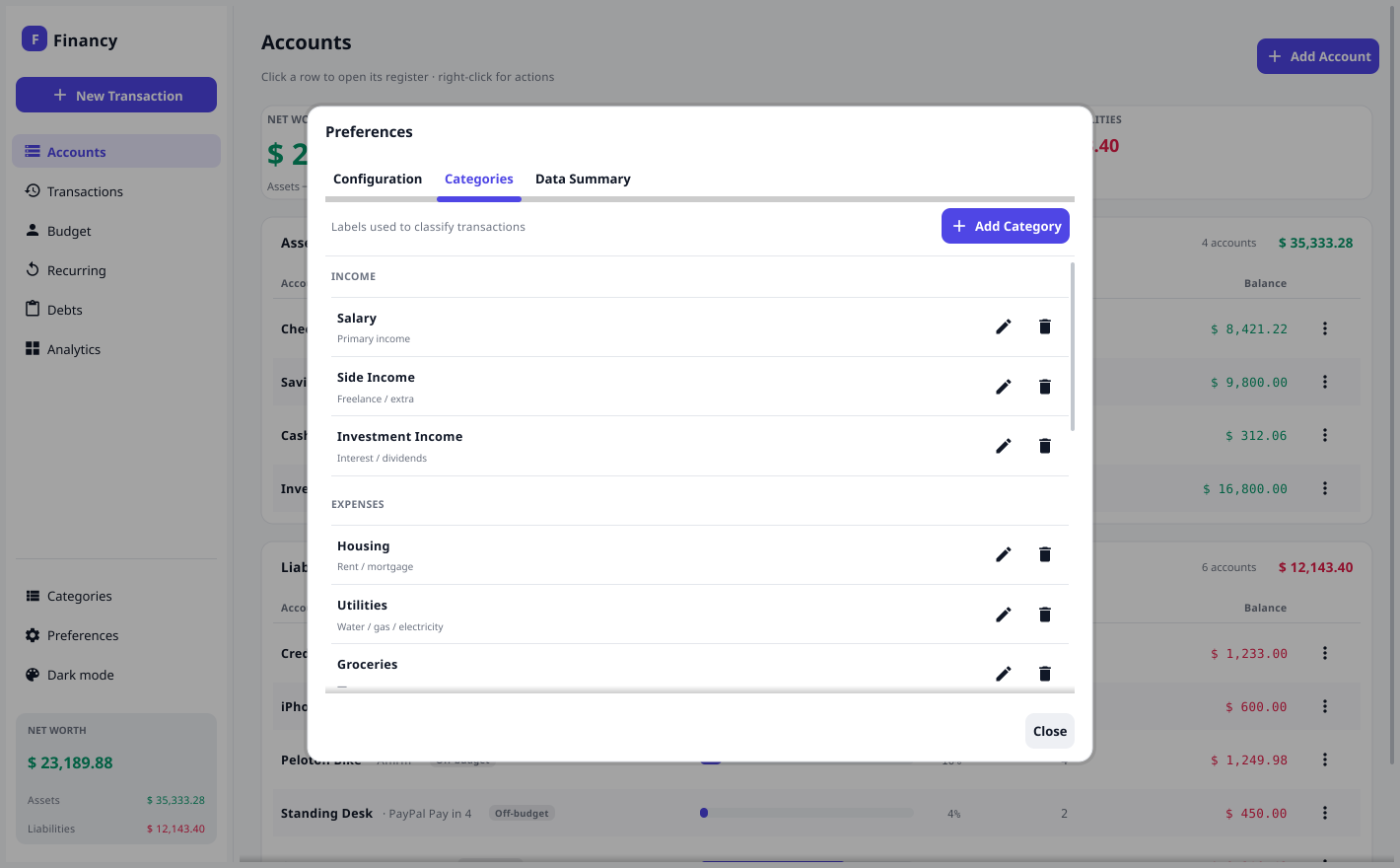
Managing categories
Open Preferences (toolbar gear) → Categories tab, or the toolbar list icon. From there you can add, edit, and organize income and expense categories. Each has a name and optional notes.
Financy seeds a sensible default set (Salary, Groceries, Housing, Transportation, Subscriptions, …) so you can start immediately.
How categories are used
When you record an Expense or Income, the category is the contra posting that balances the money account (see Concepts). Category totals on the Analytics screen are derived by summing those postings over the selected period.
Uncategorized
CSV import assigns an Uncategorized category by default (by direction) when it can’t match a payee. You can recategorize those entries later from the journal, or set them during import.