Budget
The Budget screen is the heart of Financy: a zero-based budget where you give every unit of money a job. Each month you assign your available cash to categories until Ready to Assign reaches zero, then watch each category through the month.
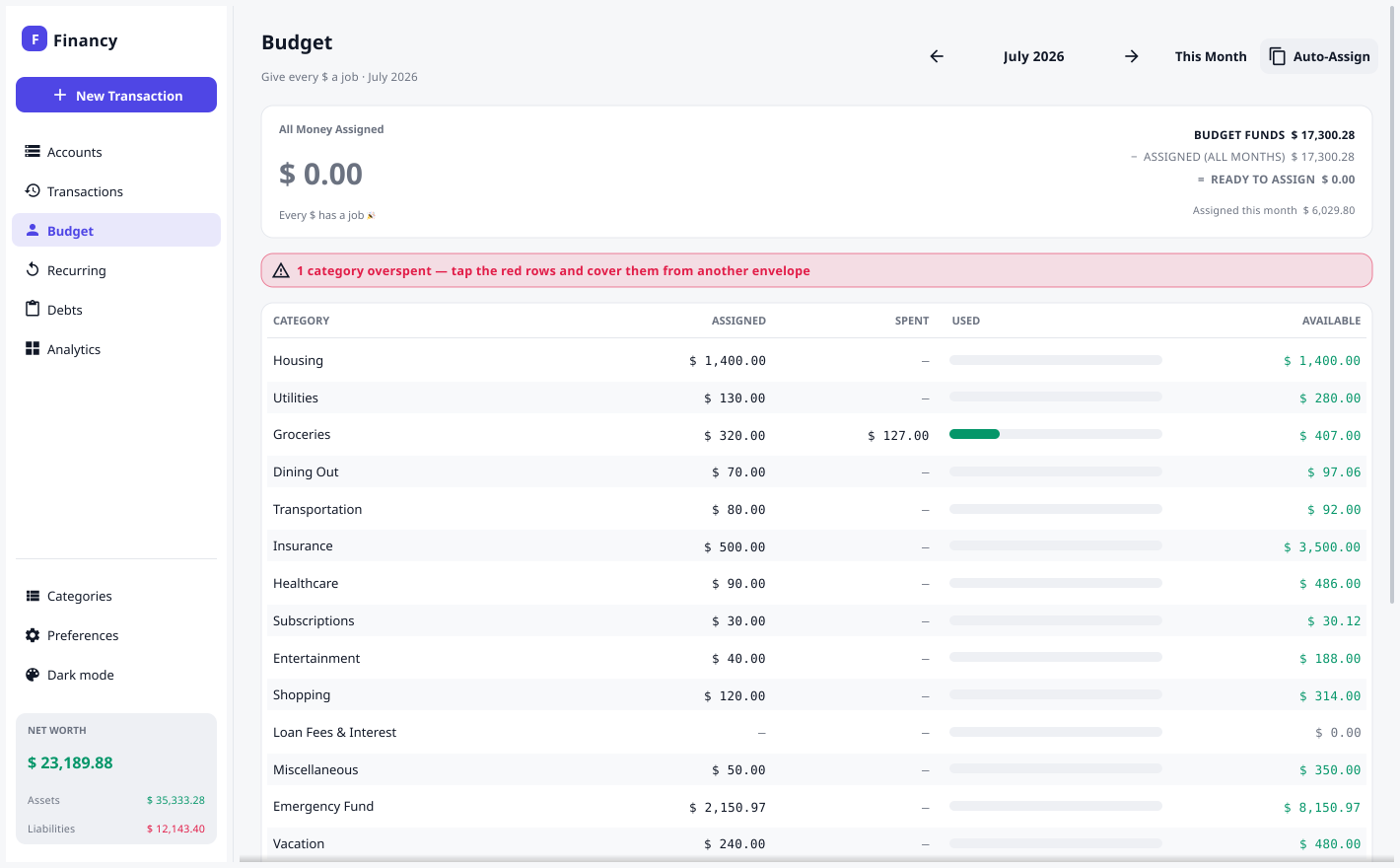
Ready to Assign
The banner at the top is your single, global pool of money waiting for a job:
Ready to Assign = Budget Funds − everything you’ve assigned (any month)
- Budget Funds is your real money: the balance of every on-budget account — assets net of credit-card debt. (Mark long-term or tracking accounts as off-budget so they don’t count; see Accounts.)
- It’s a single number, the same on every month. Assign money to a category in any month — even a future one — and Ready to Assign drops today, because that money now has a job.
- The goal of zero-based budgeting is to assign until it reads 0 — every dollar given a purpose.
The category table
Each category (an Expense account) shows three figures for the month you’re viewing:
| Column | Meaning |
|---|---|
| Assigned | How much you gave this category this month. |
| Activity | What you spent (or refunded) this month — outflows shown negative. |
| Available | The rolling envelope balance: what’s left to spend. |
Available rolls forward. Money you don’t spend stays in the envelope next month. Cash overspending turns a category red; it isn’t dragged negative forever — it’s absorbed and quietly reduces what’s left to assign, the way a credit card or a raided savings envelope works in real life.
Assigning money
Click any category to open the assigner. Type an amount, or use a one-tap quick-budget suggestion:
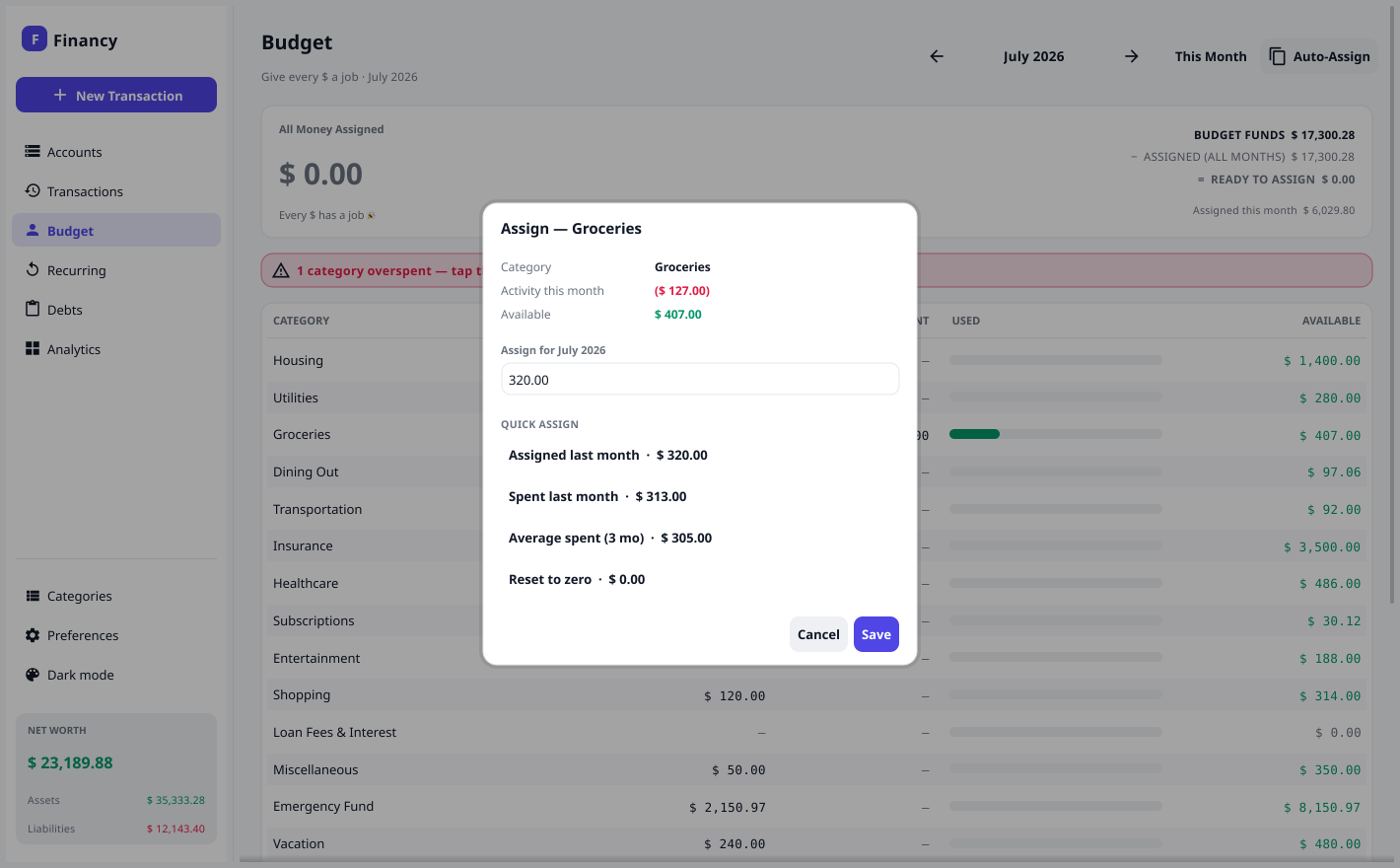
- Assigned last month · Spent last month · Average spent (3 months)
- Reset to zero
Right-click a category for the same actions plus Assign last month’s amount and Clear assignment. Use Auto-Assign (top-right) to copy the previous month’s whole plan into this one, and + Add Category to grow your budget on the fly.
Months and locking
Navigate months with the ◀ ▶ arrows or jump back with This Month.
- The current and future months are editable — budget ahead as far as you like.
- Past months are locked (view-only). A budget you’ve already lived through can’t be rewritten; you’ll see a 🔒 Locked note and the rows become read-only.
Credit cards
Spending on a credit card depletes that category’s envelope and adds to the card’s balance, so it nets out against your Budget Funds — it doesn’t hand you phantom money to re-assign. Pay the card off like any other transfer; your budget stays honest throughout.