Accounts
The Accounts screen is your home base: a net-worth overview plus cards for every money account.
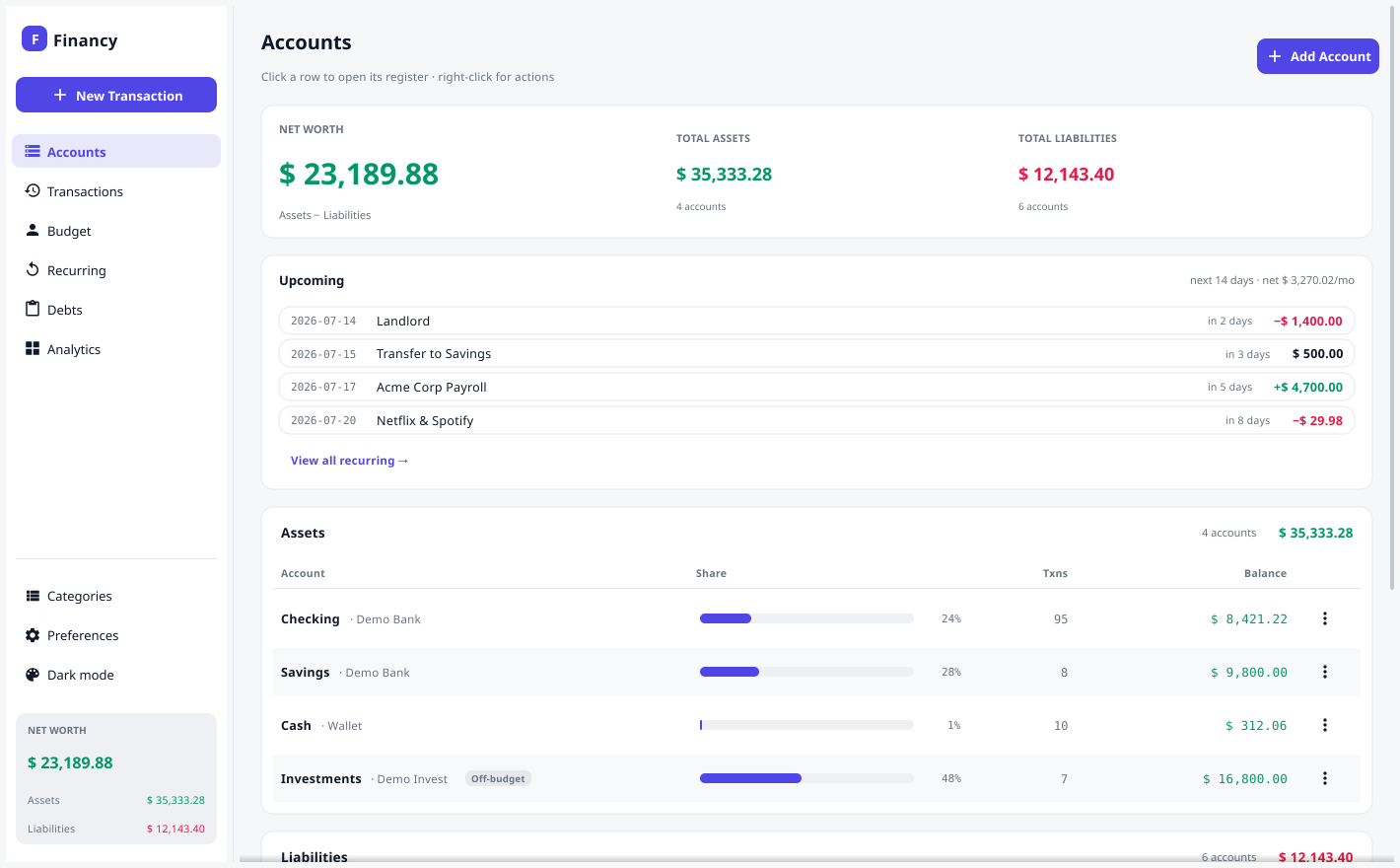
Net worth overview
The banner shows Net Worth, Total Assets, and Total Liabilities — all derived live from your transactions.
Account cards
Assets and liabilities each get a card showing the account name, institution, current balance, and transaction count. Liabilities are shown as positive amounts owed.
- Click a card to open its register — the running-balance ledger for that account, newest first.
- Right-click a card (or use the ⋮ button) for New Transaction · View Register · Edit Account · Delete Account.
Adding an account
Use Add Account (top-right). Choose Asset or Liability, optionally set an institution and an opening balance (which posts an Opening Balance entry — see Concepts). The opening-balance field formats as you type.
On-budget vs. tracking accounts
The Include this account’s balance in the budget toggle controls whether an account feeds your Budget’s Ready to Assign. Leave it on for spending accounts (checking, cash, credit cards). Turn it off for tracking accounts — investments, a mortgage, a house — so they still count toward net worth but don’t masquerade as money you can assign. Off-budget accounts are tagged on their card.
Deleting an account
An account can only be deleted once it has no transactions — remove or reassign them first. This protects the integrity of your ledger.