🎯
Zero-based budget
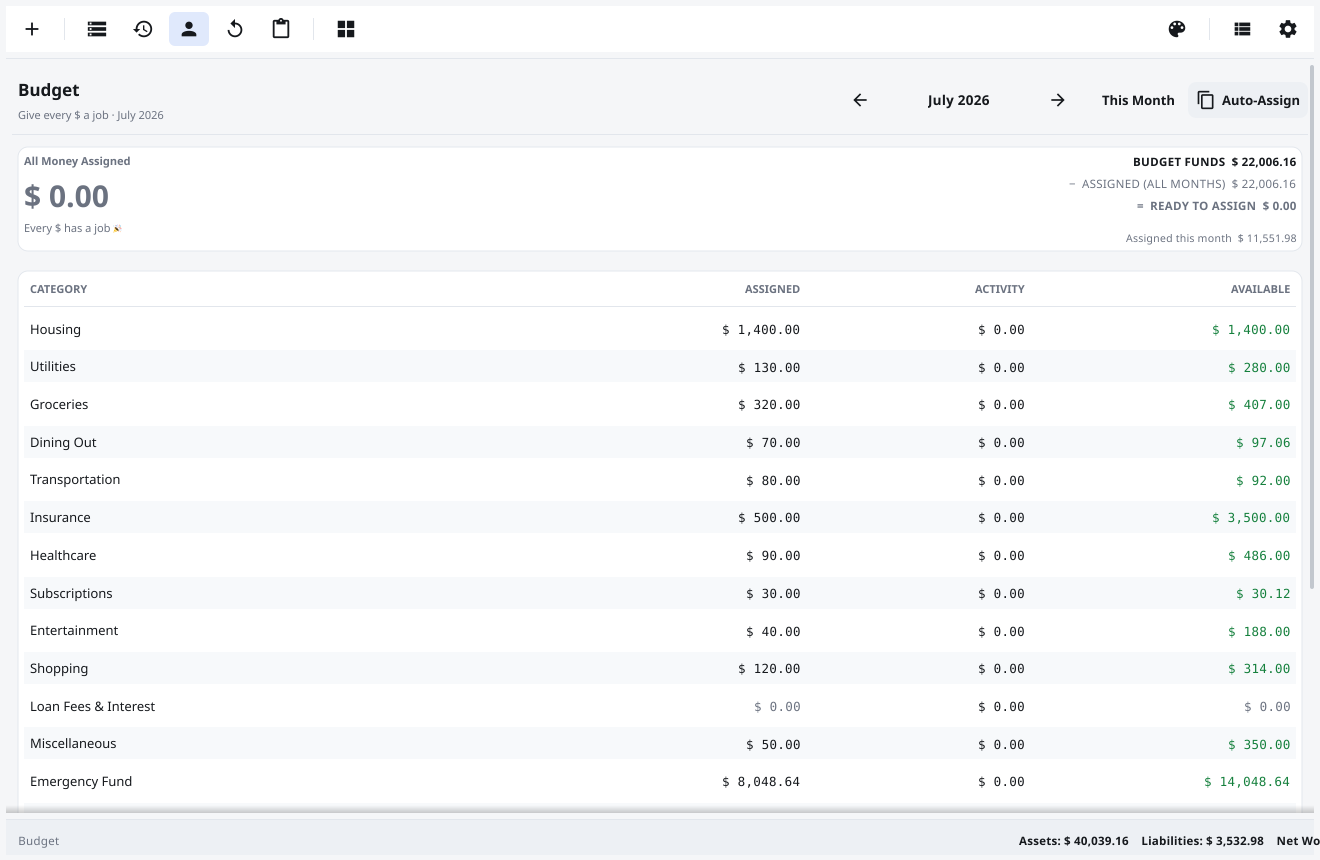
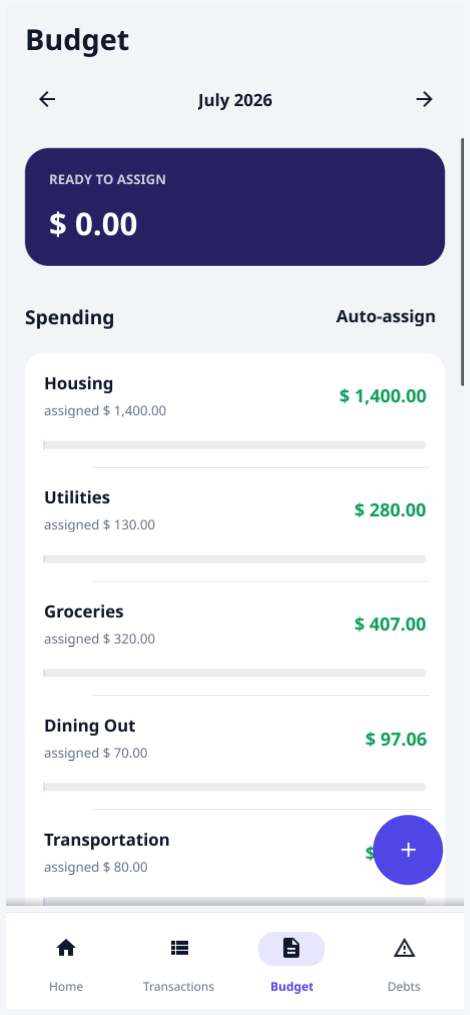
Give every category a job until Ready to Assign hits zero. Track Assigned · Activity · Available per envelope, with balances that roll forward and overspending in red.
Financy is a fast, private zero-based budgeting app for desktop and mobile — give every dollar a job, backed by real double-entry accounting. Your data stays in a single encrypted file you own. No cloud, no account, no tracking.
Linux · Windows · macOS · Android (beta) — free & open source (MIT)
.financy file that lives on your device.
Everything you need to plan every dollar — with numbers that never lie.
Give every category a job until Ready to Assign hits zero. Track Assigned · Activity · Available per envelope, with balances that roll forward and overspending in red.
One global pool drawn from your real on-budget balances. Assign to any month — even a future one — and it draws down today. You can't budget money you don't have.
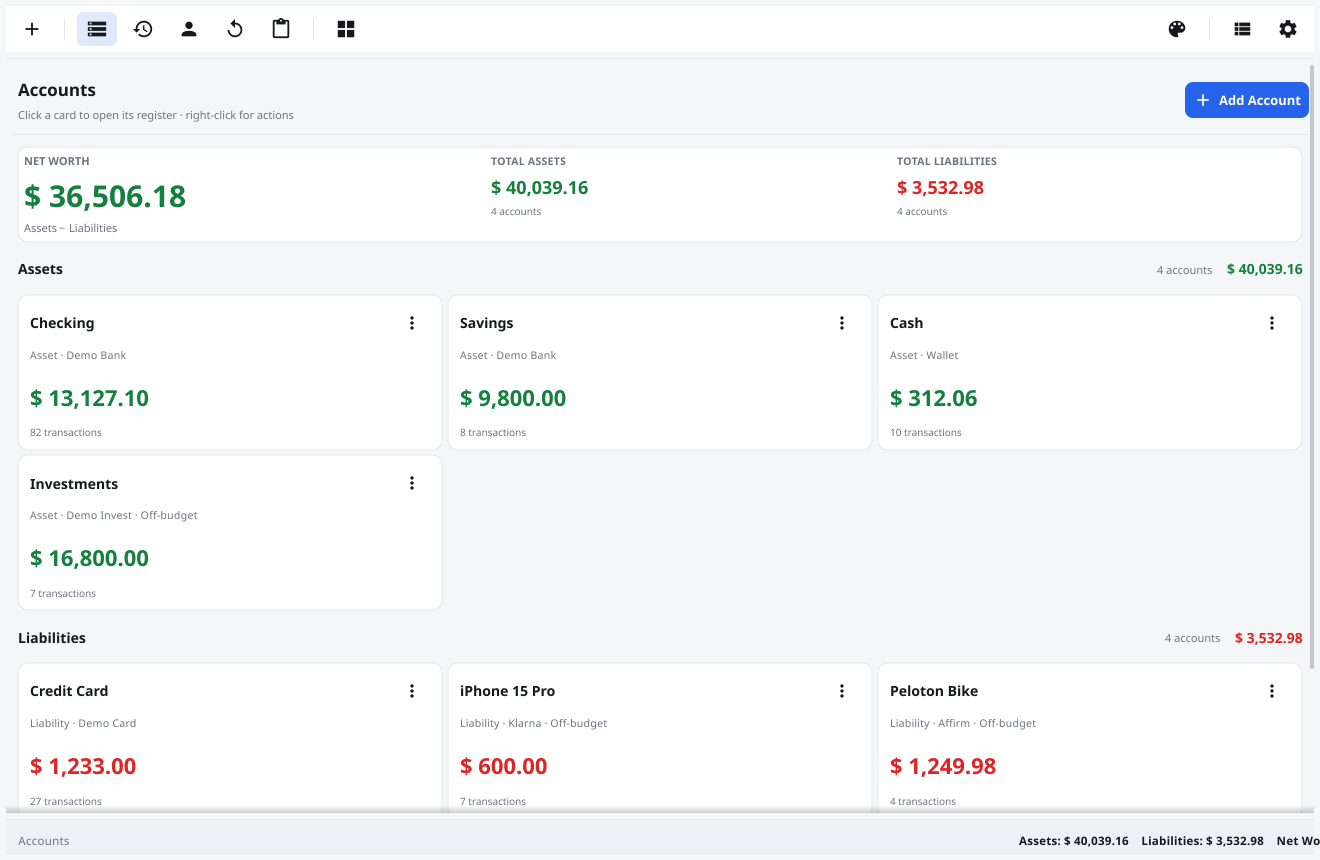
Card spending nets against the budget so it stays budget-neutral. Mark investments or a mortgage as off-budget — counted in net worth, not in assignable cash.
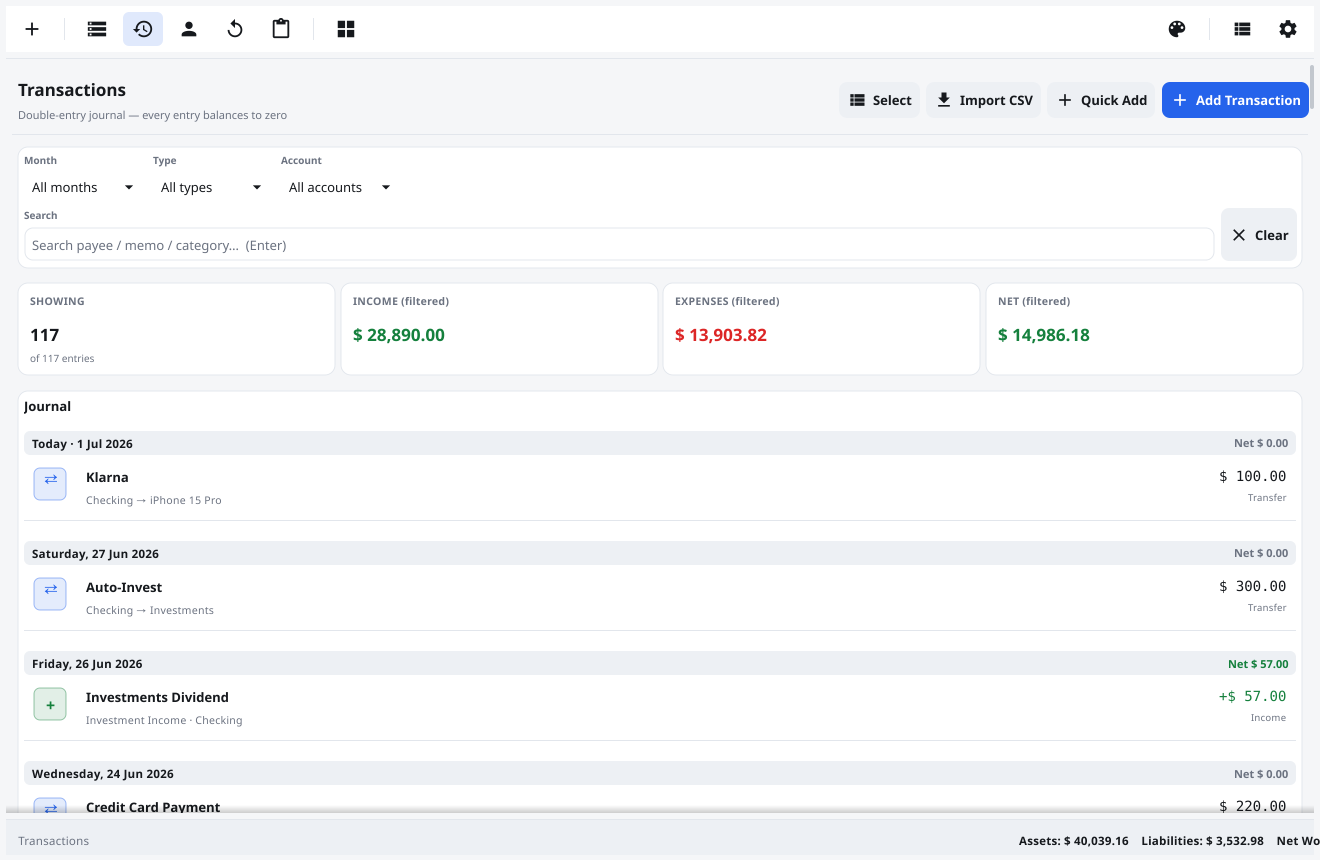
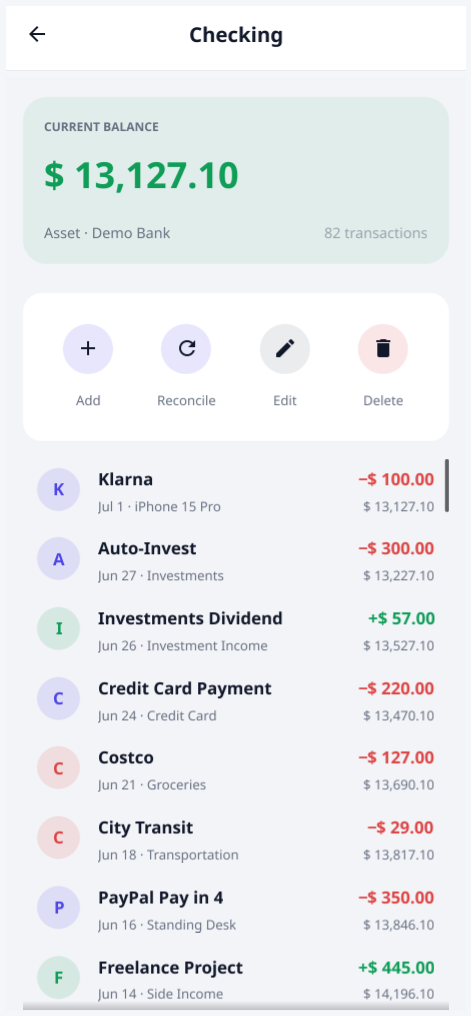
Every transaction is balanced postings that sum to zero. Your budget, balances and net worth are derived from one journal — they can't go inconsistent.
Protect a document with a passphrase and the file is encrypted at rest with XChaCha20-Poly1305 and an Argon2id key. Decrypted only in memory — never in plaintext on disk.
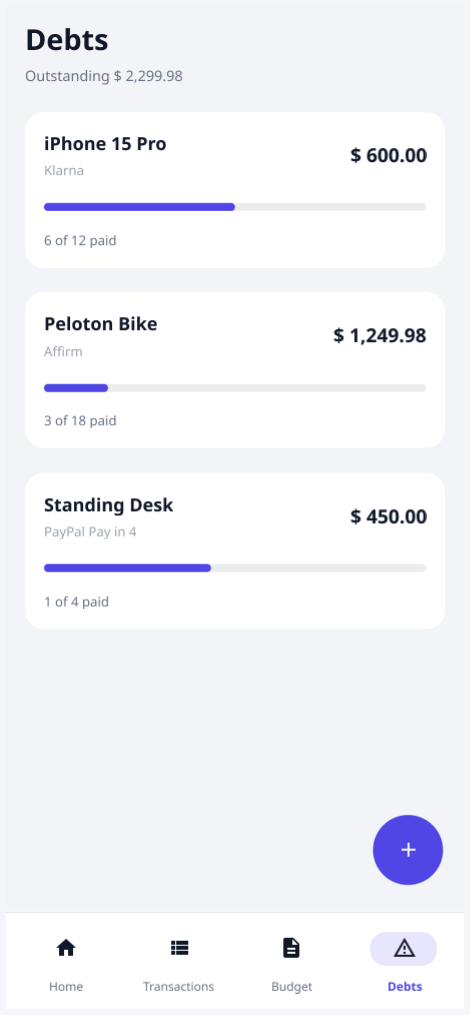
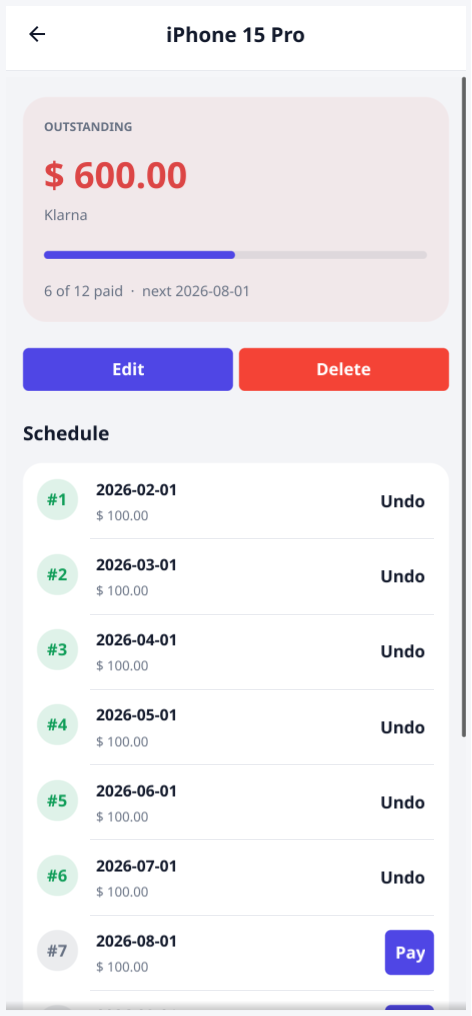
Track BNPL and installment plans on a fixed schedule. Each debt becomes its own budget envelope and off-budget liability, so paying it down stays Ready-to-Assign neutral.
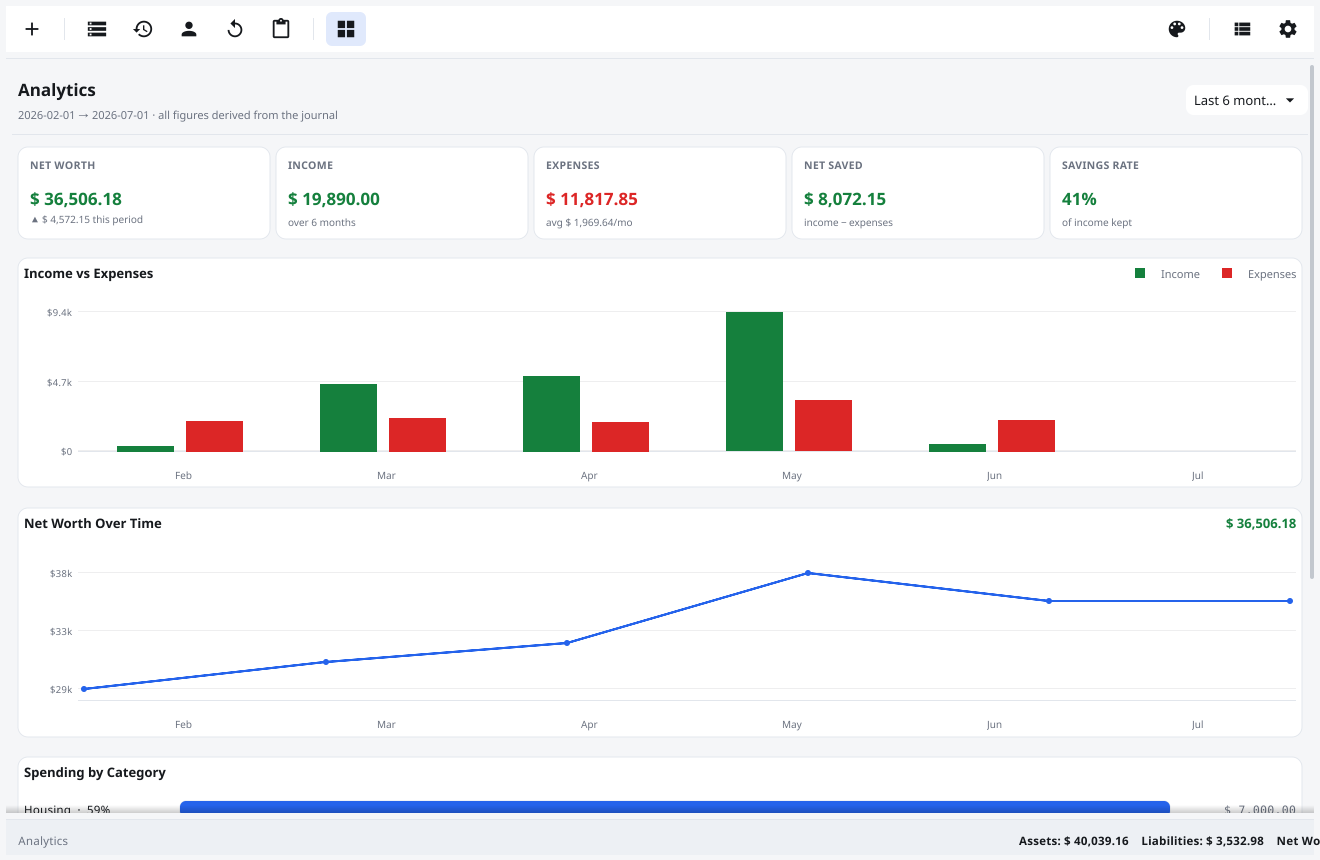
KPIs, income-vs-expenses, net-worth trends and spending by category — all derived from your journal, so they never drift from your transactions.
A native desktop app and a touch-first Android build (beta) from the same codebase — budget on your laptop, capture spending on your phone.
Each document is a single .financy SQLite file, auto-saved with ACID writes. No cloud, no account, no save button — just your data on your machine.
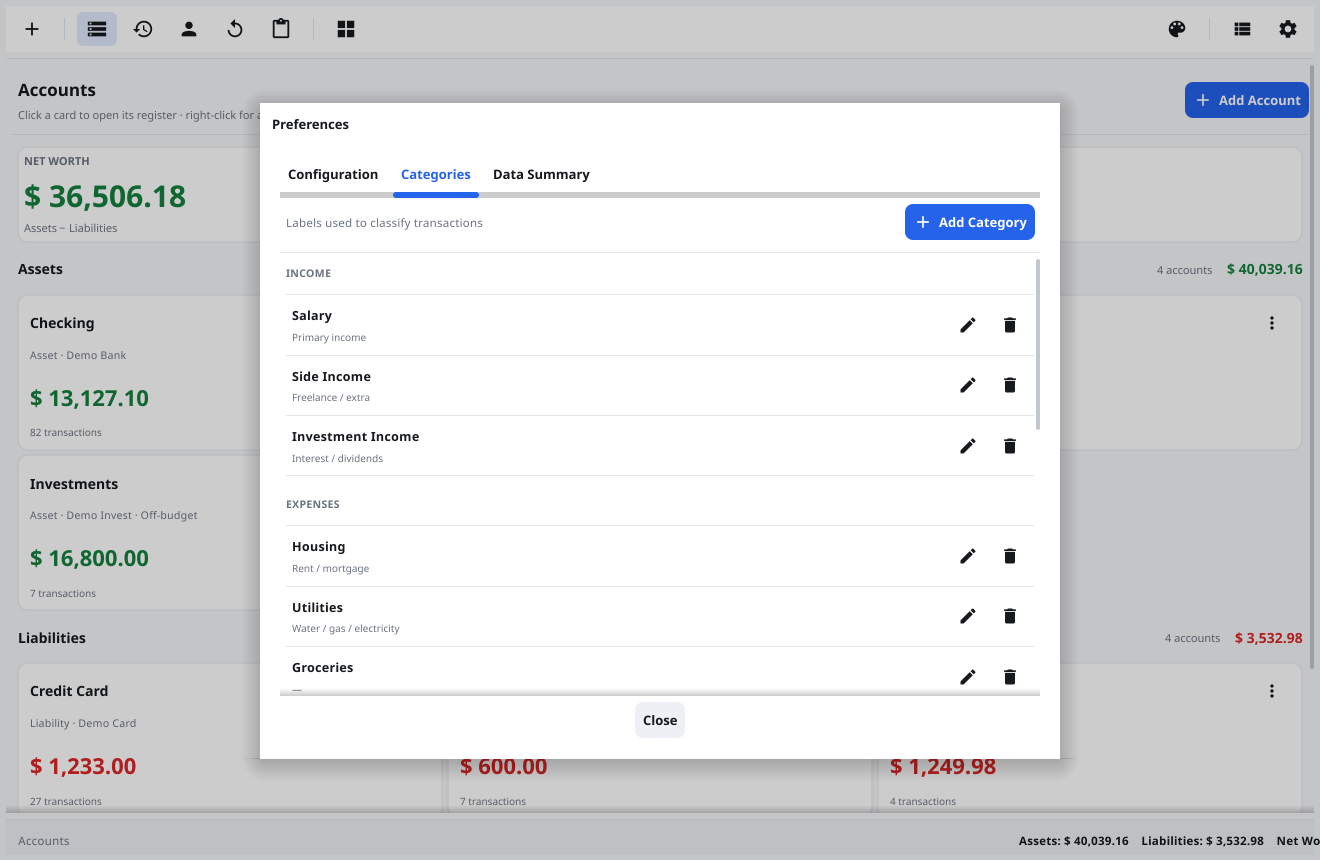
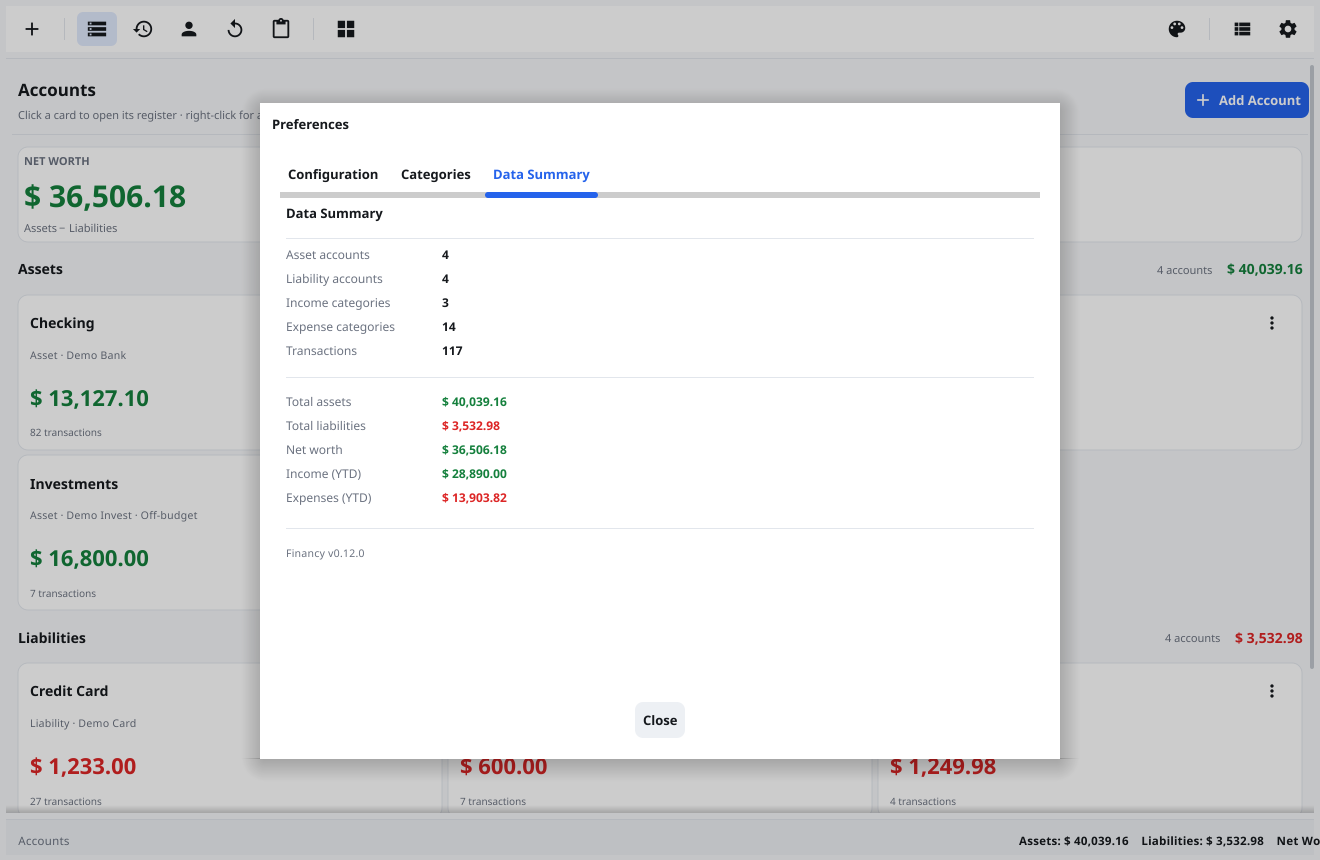
The desktop app, from first run to full analytics.
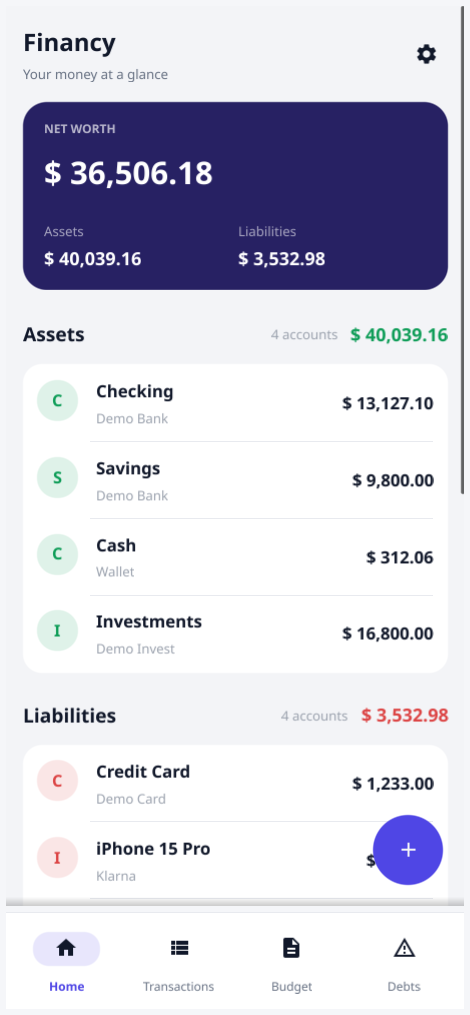
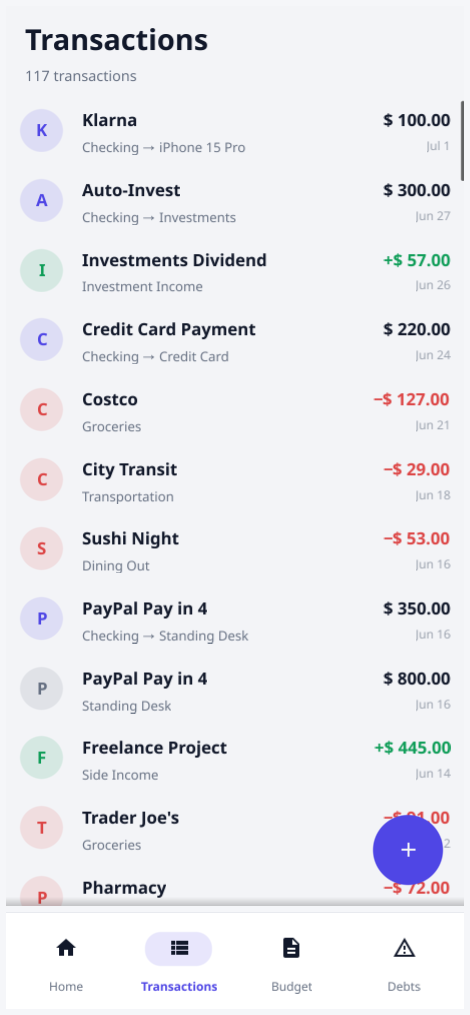
A touch-first UI built from the same codebase — capture spending on the go, check your budget anywhere. See MOBILE.md for status and what's not ported yet.
Grab the build for your platform from the latest release. Builds are currently unsigned, so Windows/macOS may ask you to confirm before the first run.
Install the .deb or .rpm, or extract the .tar.xz and run.
Run the .exe. SmartScreen → More info → Run anyway.
Unzip, move to Applications. First launch: right-click → Open.
Beta .apk attached to releases. Allow install from unknown sources.
Or build from source: git clone the repo and run make run.